
What’s New in DuctQuote: October 2026 Updates
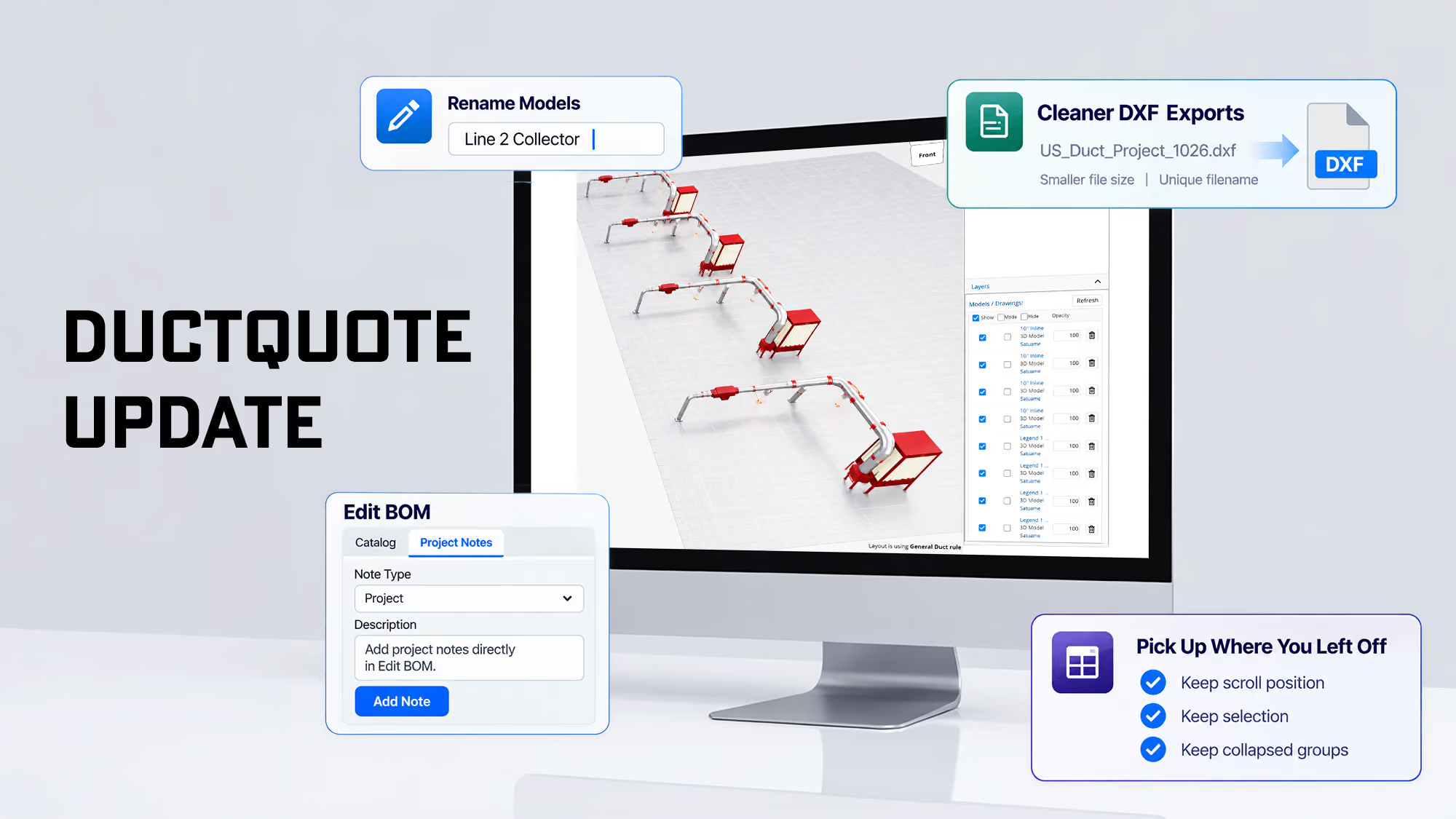
The October 15 DuctQuote release is built around one goal: less clicking, more drawing. You can now type exact lengths and positions instead of dragging, organize big layouts into folders, put notes right on the duct where your team and customers will see them, and share 3D drawings that are easier to open. We also tightened up proposals, QuikQuote pricing, and a handful of everyday screens.
Here’s what changed and how it helps you get accurate quotes out the door faster.
Faster, More Precise Layout Editing
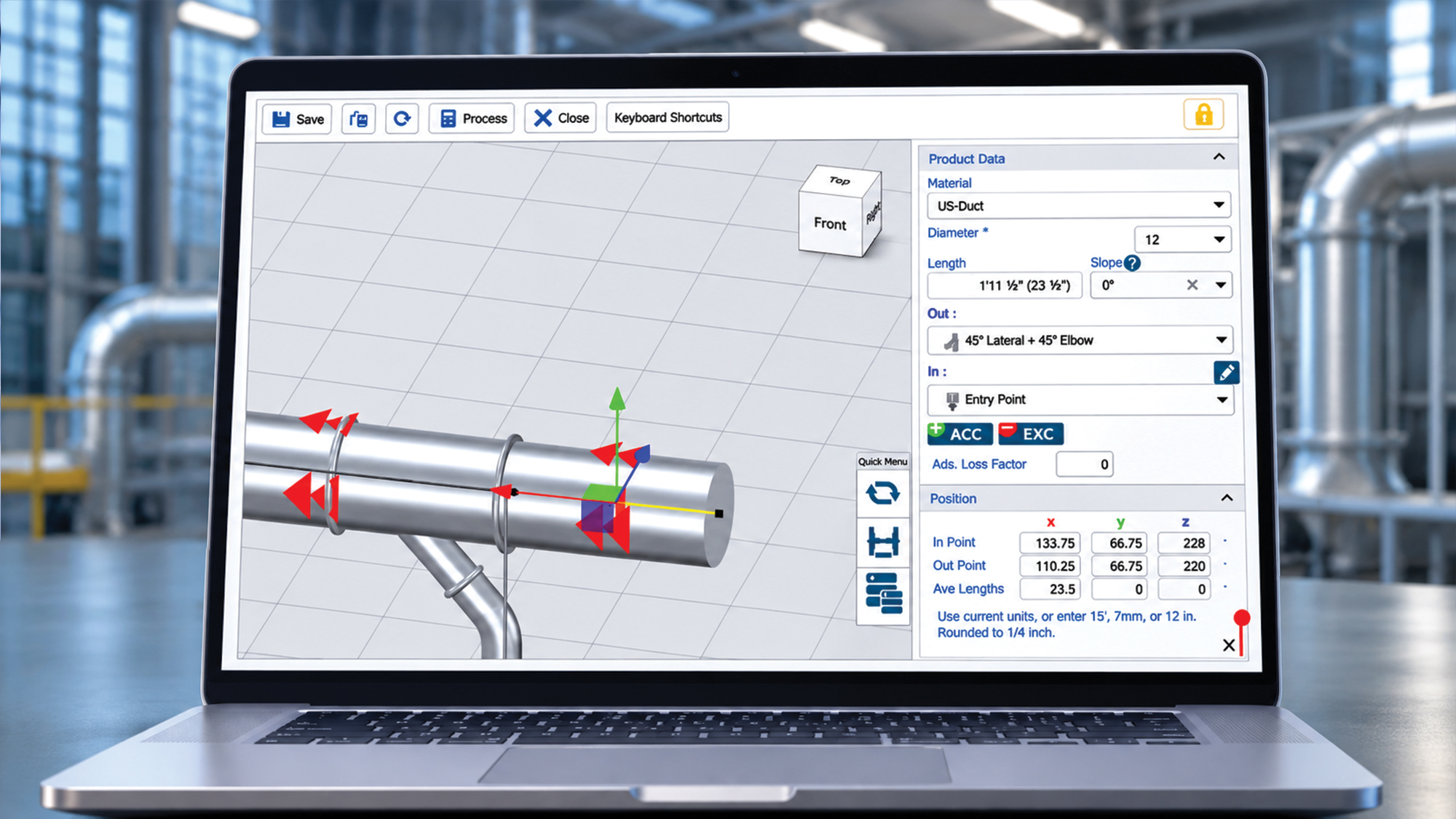
- Type exact positions and lengths. Enter duct endpoint coordinates, section lengths, and model positions or rotations directly. Length fields accept feet, inches, and metric units, so you can work in whatever the drawing or site measurements use.
- Change diameters in a keystroke. Press Shift+D to enter any supported duct diameter without leaving the layout.
- Take quick measurements. Measure between any two points in inches and see the individual X, Y, and Z distances — handy for checking clearances before you commit to a run.
- Organize with layout folders and groups. Group models as well as plan/elevation drawings into named folders, drag to reorder them, and show/hide or lock an entire group at once. Large, multi-area layouts are much easier to manage.
Notes That Stay With the Drawing
- Section annotations. Add notes directly to a duct centerline and reposition the text box where it reads best. Annotations carry through to shared viewers and proposal drawings, so installers and customers see the same information you do.
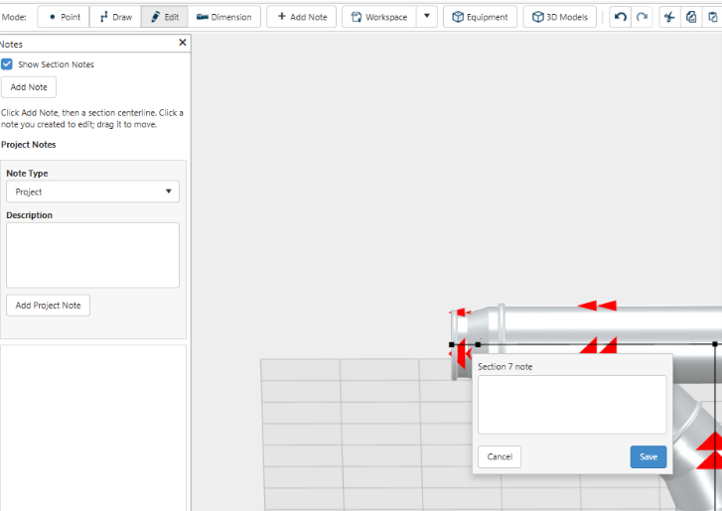
- Connected project notes. Section annotations now appear alongside project discussions across the Project, Layout, and Edit BOM screens. You can edit the notes you created.
Clearer Drawings and Easier Sharing
- More display options. Show or hide section notes and vertical/horizontal length breakdowns from Settings and Drawing Options.
- Separate viewer preferences. Display settings for shared viewers are now kept separate from your own layout-editing preferences, so customizing what a customer sees won’t change your workspace.
- Better drawing links. Drawing-link windows now identify which layout they belong to, and PDFs with 3D sharing enabled display a prominent “CLICK TO VIEW IN 3D” link so recipients can’t miss it.
- Leaner DXF exports. DXF files are smaller and get unique filenames, so exports no longer overwrite each other.
More Reliable Quotes and Proposals
- Enhanced customer discounts. Discounts can now be saved for Dealers and Dealers can save discounts for their regular customers as well.
- QuikQuote gauge corrections. The selected gauge, item number, description, and price now stay in sync.
Everyday Fixes
- Saved 3D scans load more reliably when you reopen a layout.
- Smoother grid refreshes. Edit BOM and Knowledge Center keep your scroll position, selection, and collapsed groups when the grid updates.
See It for Yourself
All of these updates are live in DuctQuote now — just log in and start your next layout. New to DuctQuote? It’s US Duct’s free, web-based 3D drawing and quoting tool for dealers and resellers, with free training included. Questions about any of these features? Our team is here to help.
Log In to DuctQuote - Learn About DuctQuote - Contact Us
A Contractor’s Checklist for Successful Dust Collection Installations

Battery Manufacturing Dust Collection: Design Considerations | US Duct